

Skip to content
  • Solutions
    By firm size or type:    
    Smarter_Drafter_Logo_Blue_Black_Tensis_Lockup

    New, Growing & Boutique Firms
    Smarter Drafter delivers immediate results for firms just starting out. Learn more

    Smarter_Drafter_Pro_Logo_Blue_Black_Tensis_Lockup

    Mid & Major Firms
    Transform how knowledge is shared and utilised within your firm. Learn more

    Smarter_Drafter_Pro_Logo_Blue_Black_Tensis_Lockup

    In-House Counsel
    Automate the production of business-ready documents. Learn more

    By feature:    
    Clause Bank Menu Icon

    Clause Bank
    Manage your clauses centrally in Microsoft Word. Learn more

    iManage Menu

    Built Into iManage
    Combine document automation with document management. Learn more

    BYO Menu Icon

    Build Your Own
    Build automations into your existing precedents. Learn more

    Data-Driven Automation

    Data-Driven Automation
    Generate high-volume, high-complexity legal documents automatically, triggered by structured data from your practice management system or internal tools. Learn more

  • Precedents
    Generalist

    Essentials

    Cover all major practice areas and unlock immediate results with Smarter Drafter ‘Essentials’ precedent bank.

    Specialist

    Specialist
    Access precedents dedicated to your specific practice area via Smarter Drafter content partners.

     
    BYO

    Build Your Own
    Automate your existing precedents with Smarter Drafter’s BYO capability.

  • Resources
  • Get started
  • Log In
    Log in to:  
    Smarter_Drafter_Logo_Blue_Black_Tensis_Lockup
    Smarter_Drafter_Pro_Logo_Blue_Black_Tensis_Lockup

INTEGRATIONS

Smarter Drafter Pro + Docusign

Combine the best-in-class document automation and digital signing platform to get protection, audit trails, and compliance, all while saving time.

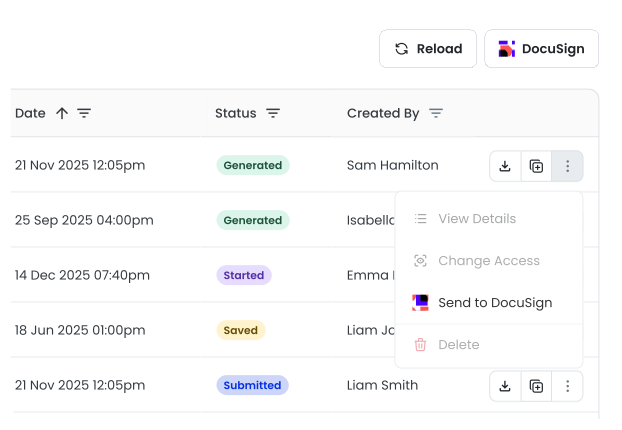
Send to Docusign
Send to Docusign

What does this integration do?

Smarter Drafter Pro and Docusign integrate seamlessly so you can prepare, send, and manage eSignatures for legal documents all from one place.

Smarter Drafter + Docusign Icons Integration

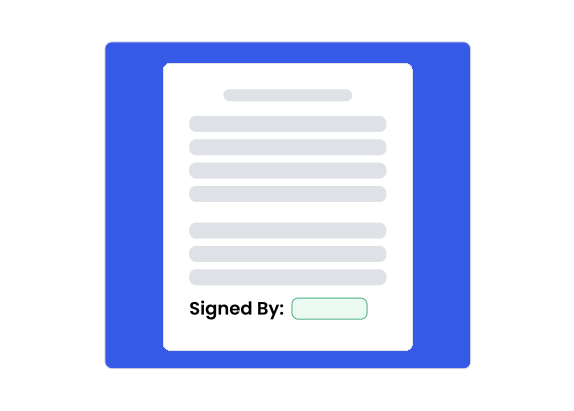
Signature block

Integrated eSignature capability

Save time, reduce errors and maintain a single source of truth

Signature block

Signature placeholders are party-specific and placed into the Microsoft Word template, so they are automatically allocated to the correct parties when the final document is generated. 

This means that there is no need to manually place signatures into the resulting PDF document before it is sent for signing.

Streamlined document signing

Obtain signatures on important documents, easily and effectively

eSignatures Dashboard

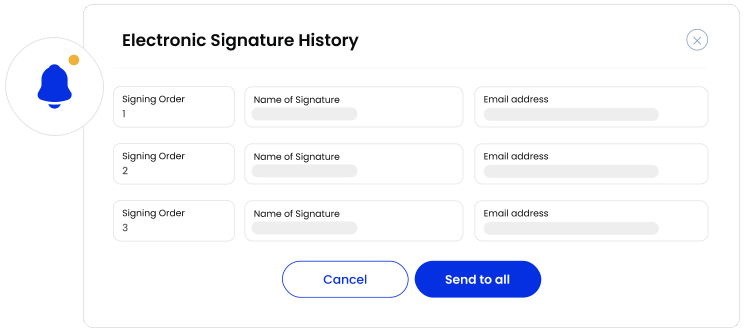
Documents can be sent for signing directly from within Smarter Drafter Pro. The system also automatically distinguishes between individuals and companies for signing, and respects the signing order.

eSignatures Dashboard

Book in for a 1-on-1 demo

See what Smarter Drafter Pro could do for your firm.
Book in for a 1-on-1 demo with one of our highly-trained experts.